Let AI do the boring stuff
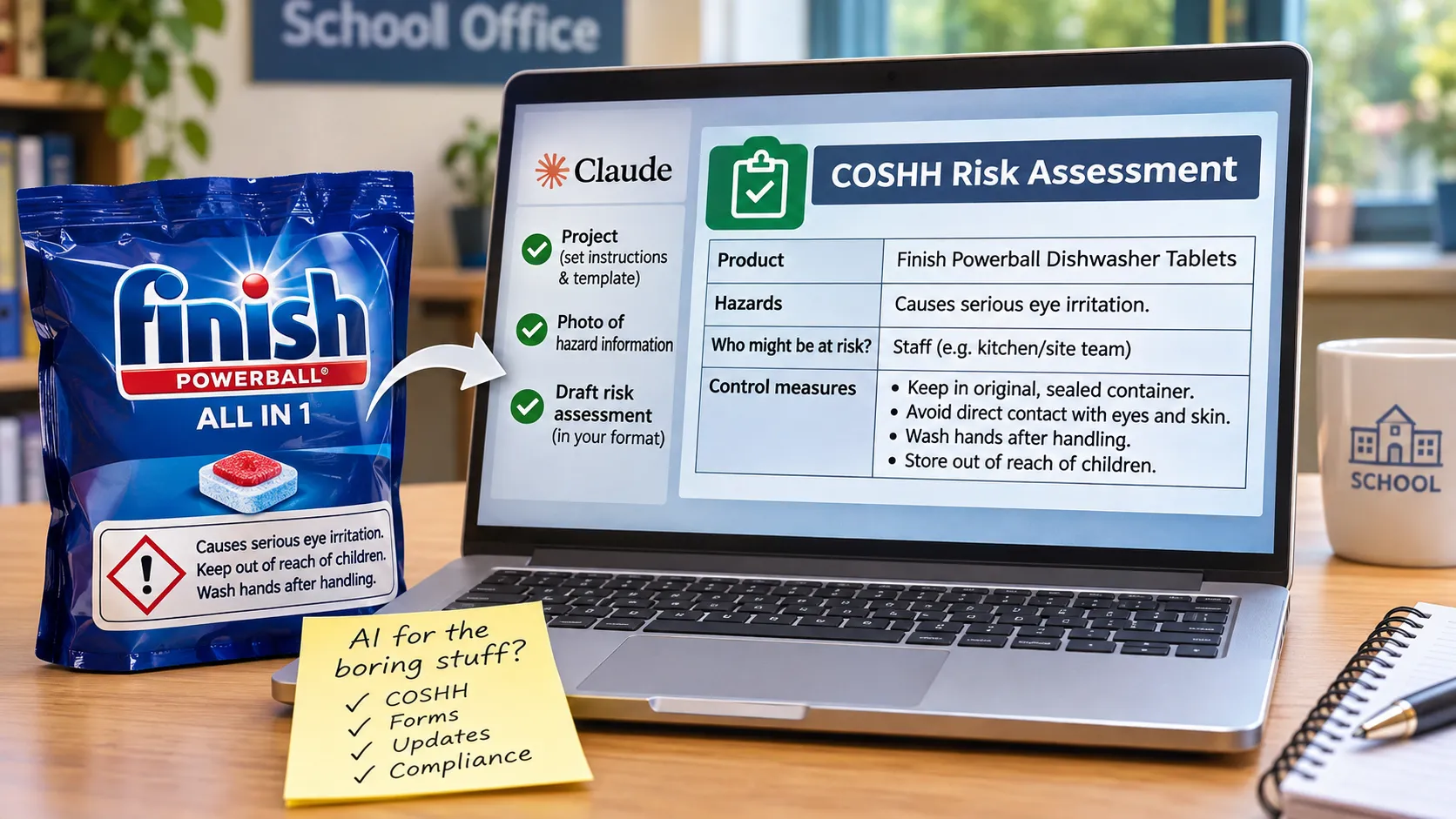
Most of the conversation about AI in schools is about teaching and learning. My most useful experiment so far has been with something far duller: a COSHH risk assessment for a box of dishwasher tablets.
Most of the conversation about AI in schools is about teaching and learning. My most useful experiment so far has been with something far duller: a COSHH risk assessment for a box of dishwasher tablets.
I have become interested in a fairly unglamorous question. Can AI take on the administrative jobs that quietly eat into a leader's week: gathering information, interpreting guidance and filling in forms?
A recent test gave me a fairly clear answer. I needed a COSHH risk assessment for an everyday product, Finish Powerball dishwasher tablets. I asked Claude (I use a paid plan) to draft it, and the result was better than I expected.
Why COSHH matters
COSHH stands for the Control of Substances Hazardous to Health. Employers must assess the risks from hazardous substances and put sensible controls in place, and schools hold more of these than you might think: cleaning materials, detergents, paints, and products used in maintenance and practical lessons.
The point is not to keep a tidy folder. It is to understand the hazards, identify who could be exposed and decide on precautions that fit how the product is actually used on site. The Health and Safety Executive is clear that a safety data sheet is not a risk assessment; it is information to help you write one.
In many schools this work would sit with a site manager or business manager. We have a vacancy, so some of it has landed on my desk. I noticed the dishwasher tablets were missing from our COSHH assessments, and as I went looking for the electronic version of the template I have also discovered that all of our existing assessments are on an out of date template. So, whilst not an emergency, I will have to have someone move over the assessments as they are reviewed, potentially very time consuming for little added benefit.
Building a repeatable process in Claude
Rather than simply asking a chatbot to write an assessment, I set up a Project in Claude. This works much more effectively than a normal chat but we will not get into that here. I uploaded our template as a project file, worked with Claude to write instructions describing what a good assessment should contain, and then asked it to turn those into a reusable skill for completing the form.
This is the step that makes the difference. I was not after one impressive answer. I wanted a process that understood the form and would fill it in the same way every time.
From a photo to a draft document
For the first test I photographed the hazard information on the back of the packet, uploaded the photo to the project and asked for a draft assessment in our format.
Claude read the label and completed the template. What impressed me was less the extraction of information than how comfortably it handled an awkward, box-heavy form. The tables, headings and fields that make these documents so tedious to complete by hand caused it very little difficulty.
Getting the draft somewhere useful
I was able to download the finished file as a word document which then allowed for further editing and proof reading. You can ask Claude to make changes before you download but once you are getting to small changes you might as well just do these yourself.
Any school trying this should check its own data protection, information security and approved-platform requirements first. In this case I was working only with product information, not pupil or staff personal data.
The problem: too many words
My main frustration was length. Claude was too wordy, often giving long explanations where a short instruction would do. A safety document is not improved by burying the precautions that matter under hundreds of words.
So I changed the project instructions to ask for shorter, more direct entries. This is where a project earns its keep: the fix carries into every future assessment rather than having to be repeated each time. If you try this yourself, instructions along these lines are a good starting point:
- Keep each entry to one or two short sentences.
- Write control measures as plain instructions, not explanations.
- Use only the hazard information supplied, and say clearly when something is missing.
- Flag anything that depends on local circumstances so the reviewer can check it.
But can you trust the assessment?
This is the important caveat. AI should produce a draft; it should not approve a safety assessment. Someone still has to check the current manufacturer information, including the safety data sheet, consider how and where the product is really used, and decide whether the controls are adequate. That needs a competent person.
There are also things the AI simply cannot know. A packet label or product information sheet is a summary, not the full picture, and nothing on it tells Claude where the product is stored, who handles it or whether children could ever reach it. That local knowledge has to come from the people who know the building.
In my limited trials I found no mistakes that worried me, and most of my editing was cutting excess text. That is encouraging, but a handful of good results is not proof that it will always be accurate. I treat the output as I would work from a capable assistant: potentially excellent, but always reviewed before it is signed off.
A bigger opportunity: updating existing assessments
The more interesting prospect may be moving existing assessments into a new template. In principle, I can give Claude the old assessment and the new form, ask it to check that the information is current, flag any gaps and draft the updated version. Instead of copying text from box to box across dozens of documents, my job becomes reviewing the drafts.
The same approach could work well beyond COSHH: premises documentation, equipment checks, routine audits, policy review records, and the many other tasks that involve more time moving information around than making genuinely difficult decisions.
Try it on one boring task
If you have not yet tried AI for this kind of work, start small. Pick a form you complete regularly, give the AI the template, clear instructions and the source information, and ask for a draft. Check it carefully, then improve the instructions. You may be surprised how well it fills the boxes. I have included a nice COSHH format you can use to experiment with if you like - see below.
We spend a lot of time discussing how AI might change the big things in education. Perhaps its most immediate contribution is more mundane: helping us get the boring stuff done, and leaving more time for the work that really needs us.
References
- Health and Safety Executive, COSHH assessment
- Health and Safety Executive, Safety data sheets
Get more like this
One practical idea, one resource, one piece of tech, weekly.